 qplanner
Better act logos
A catch up for clarity.
Modern act logos
The current act logo system is very old, and restrictive.
To add a logo to a performance you have to upload the image, which is then scaled within 100x100, and embedded in the planner.
It's fine for one off situations, but tiresome should you edit many planners.
The poor resolution also lets down the presentation of the planner on Hi-DPI displays, and in PDFs.

(A comparison of a 100px logo next to a 300px version)
So I've added a brand new act logo system, to make using them less of an administrative burden.
It supports raster and vector logos, and ties them to qplanner's artist database, so they can be used in any relevant planner.
They'll even supersede any currently embedded logos.
Logos are displayed nicely across desktop, mobile, and PDFs.
Currently, should you add a new act logo, but not save an updated planner, the planner will not update with any new logos.
In the creator
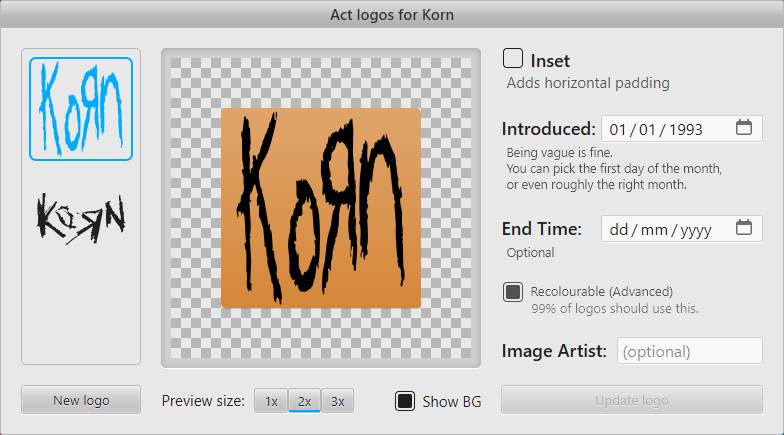
The new logo system is only available to acts with a valid Musicbrainz ID assigned, that qplanner is already aware of.
You can amend existing logos by selecting them, or add a new one by clicking New logo.
The old system is still available for acts without a Musicbrainz ID.
Source images
Uploading an SVG will result in the highest quality image displayed to users.
SVGs get minified by SVGO, and then disallowed elements are removed (Gradients, urls, text etc)
You can also upload PNG or JPEG images. Ideally a png with an alpha channel, which can then be used as a mask.
If the image doesn't have an alpha channel then the luminance of the image's red channel will be used to create the mask.
Options
Inset
If you enable this there will be a small amount of horizontal padding added to the logo.
This option helps avoid logos pressing right against the edges of the column, which can improve visual clarity.
Introduced / End Date
If a band has used several logos across their career, qplanner will automatically select the best logo to use based on the dates given for each logo's use.
If the logo is still in use then there's no need to set an end date.
Recolourable
This should be left checked for virtually all logos, so qplanner can colourise them to match the planner, and user's selection.
However, I'm leaving this option exposed to help handle any edge cases.
Image artist
Should you know the name of the artist that's credited with creating the logo, it's nice to have it.
Other changes
In the creator
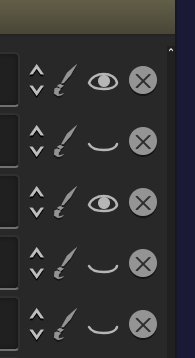
- Add hiding stages in the creator
This is ideal if you're working on a pair of back-to-back stages - Fix a bug where clicking on a performance could move it off screen
- Remember the selected day when undoing
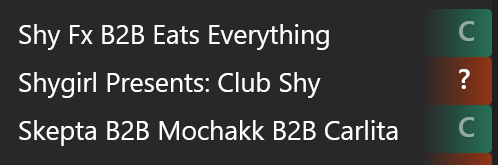
- Added collaboration indicator to the artist list
Viewing planners
- Add a little bounce animation to selecting a performance
Do you like this? Will it get annoying? - Add keyboard support to switching selection colours
- Use tabular numbers on the plain times view
- Change the look of selected plain times
Tint the text colour to match
Switch from a dot to a coloured border, to help improve visibility of selected items (mostly for dark on dark) - Try to avoid needlessly rebuilding performances
- Minor visual tweaks
- Avoid spawning duplicate mobile menus
What's next?
I'm not short on ideas.
Hopefully a new version of the mobile app.